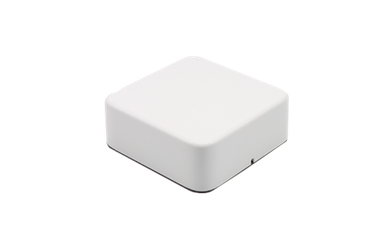
Choosing a vehicle antenna for fleet management is not simply a matter of selecting the model with the highest gain. A reliable fleet system must support two separate RF functions: GNSS for vehicle positioning and cellular connectivity for sending data to the cloud.
The right choice depends on your receiver architecture, modem frequency bands, data requirements, installation environment, and connector configuration. This guide explains when to use a standard precision vehicle GNSS antenna, G-Mouse, a cellular antenna, or a combination antenna.
What Does a Fleet Management System Need from an Antenna?
A typical fleet management system collects vehicle location, speed, diagnostics, driver behavior, and alarm data. GNSS determines where the vehicle is, while a cellular network transmits that information to a management platform.
U.S. fleet guidance describes telematics systems as devices that collect near-real-time GPS and vehicle diagnostic data and transmit it through cellular networks. This means that poor antenna selection can affect both positioning accuracy and the reliability of data transmission.
A complete vehicle antenna solution should therefore provide:
- Stable GNSS reception in motion and partially obstructed environments
- Cellular coverage that matches the modem and target network
- Suitable MIMO ports for the required data throughput
- Reliable mounting, cable routing, and connector compatibility
- Protection against vibration, moisture, dust, temperature changes, and UV exposure
Step 1: Match the GNSS Solution to the Receiver
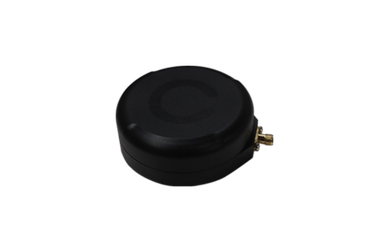
Existing GNSS Receiver: Use a Standard Vehicle GNSS Antenna
If the telematics device already includes a GNSS receiver, choose a standard precision vehicle GNSS antenna.
The first step is to confirm which satellite systems and frequency bands the receiver supports. A basic fleet tracker may only require single-band GNSS, while advanced navigation, logistics, or autonomous vehicle systems may benefit from dual-band or full-band reception.
Also check:
- Active or passive antenna design
- LNA gain and noise figure
- Required supply voltage and current
- GNSS constellation support
- Cable length and signal loss
- Mounting location and available sky view
For example, a high-precision vehicle antenna may support GPS L1/L2/L5, GLONASS, Galileo, BeiDou, QZSS, and other signals. A dual-band antenna may support GPS L1/L5 and provide 28 ± 2 dB LNA gain with a noise figure of no more than 2 dB. These specifications are more useful than a general “high-performance” label because they can be compared directly with the receiver requirements.
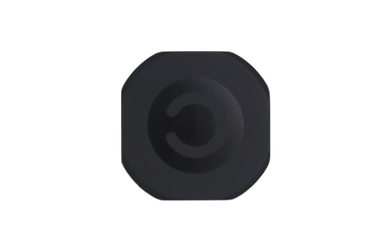
Receiver and Antenna Integration: Use G-Mouse
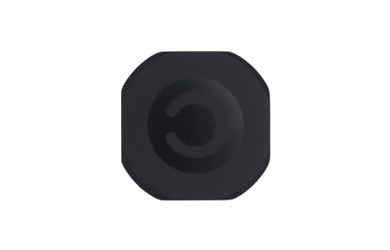
If the equipment does not have a separate GNSS receiver, a G-Mouse can combine the positioning antenna and receiver in one compact solution.
G-Mouse is suitable for:
- Compact vehicle tracking terminals
- Aftermarket telematics devices
- Products with limited PCB space
- Designs that need simpler installation and integration
Before selecting a G-Mouse, confirm its output interface, communication protocol, power supply, update method, and mechanical dimensions. A G-Mouse is not only an antenna; it is an integrated positioning component that must communicate correctly with the host system.
Step 2: Choose the Right Cellular or Communication Antenna
Confirm the Required Frequency Bands
A 4G or 5G label alone does not guarantee compatibility. The antenna must cover the frequency bands supported by the modem and used in the target market.
For U.S. deployments, the required band list may vary between commercial cellular networks and private LTE systems. For example, the Citizens Broadband Radio Service operates in the 3550–3700 MHz range. If private LTE or industrial wireless networks are part of the project, this range should be checked during antenna selection.
Some full-band vehicle antenna models cover communication frequencies from 400 MHz to 5.9 GHz. However, the correct model still depends on the modem, carrier, application, and required number of RF ports.
Match Data Throughput and MIMO Requirements
A tracker that sends one location update every few minutes has very different requirements from a vehicle that uploads video, performs frequent OTA updates, or provides an onboard Wi-Fi hotspot.
Use the following rule:
- Basic location and diagnostic data: a simple cellular configuration may be sufficient.
- Frequent data transmission or fleet monitoring: consider 2×2 cellular MIMO.
- Video, high-throughput connectivity, or multiple wireless services: consider a higher-port-count antenna system.
The antenna port count must match the modem architecture. Also verify isolation between GNSS and cellular elements so that cellular transmission does not reduce positioning stability.
Check Mounting and Connectors
Common installation options include permanent screw mounting, bolt-through mounting, magnetic mounting, and adhesive mounting.
Permanent roof mounting usually provides a better sky view and a more stable RF environment. Magnetic or adhesive mounting may be more convenient for fleet retrofits, temporary deployments, or vehicles that cannot be structurally modified.
Before ordering, confirm:
- SMA, TNC, FAKRA, SMB, or other connector types
- Cable length and cable-loss budget
- Bottom or side cable exit
- Vehicle roof material and ground-plane requirements
- IP rating and operating temperature
Step 3: When Should You Choose a Combination Antenna?
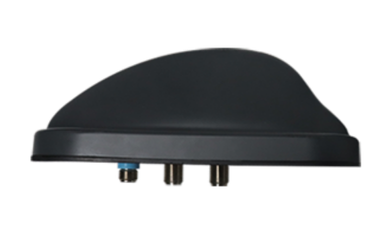
A combination antenna is a practical choice when the vehicle needs GNSS and cellular connectivity in the same installation. Some models can also integrate Wi-Fi, Bluetooth, radio, or V2X functions.
| Solution | Best Use Case | Main Advantage | Key Consideration |
|---|---|---|---|
| Separate GNSS and cellular antennas | Existing receiver and flexible system design | Each function can be optimized independently | More mounting points and cables |
| G-Mouse | Compact device without a separate receiver | Simplifies receiver and antenna integration | Check protocol, power, and host compatibility |
| Combination antenna | GNSS plus 4G/5G or other wireless functions | Reduces antenna quantity and installation complexity | Verify isolation, ports, bands, and maintenance access |
A combination antenna is not automatically the best option. It should be selected when the reduction in installation space, cable routing, and assembly effort is more valuable than the flexibility of using separate antennas.
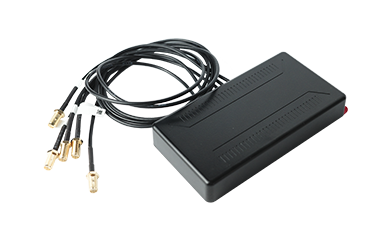
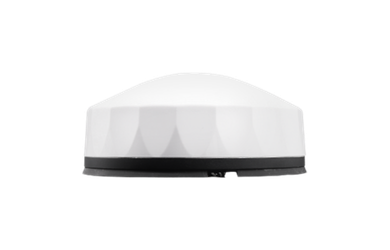
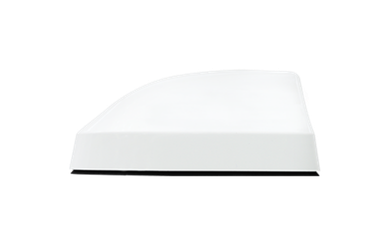
2x2 MIMO 5G and dual-band GNSS combo antenna
Vehicle Antenna Use Cases
Basic Fleet Tracking
When the telematics device already has a GNSS receiver and only sends regular location updates, a standard vehicle GNSS antenna may be sufficient.
Compact Telematics Terminal
When the device has limited internal space or no separate receiver, G-Mouse can simplify product integration.
Multi-Function Commercial Vehicle
When a vehicle requires GNSS, 4G/5G, Wi-Fi, Bluetooth, or V2X, a combination antenna can reduce the number of external antennas and cables.
High-Throughput Fleet Communication
Vehicles that upload video, support high-volume data transmission, or require multiple cellular links may need a multi-port MIMO antenna.
Practical Vehicle Antenna Selection Checklist
Before finalizing a vehicle antenna, confirm:
- GNSS receiver model and supported constellations
- GNSS frequency bands and positioning accuracy
- Cellular modem bands and MIMO ports
- Required data throughput
- Mounting method and vehicle body material
- Connector type and cable length
- IP, temperature, vibration, and UV requirements
- Final-vehicle testing requirements
Validation should be performed on the actual vehicle and final enclosure. Check GNSS signal quality, satellite tracking, positioning stability, cellular throughput, handover performance, and unexpected dropouts.
Common Mistakes to Avoid
Do not select an antenna by gain alone. Noise figure, filtering, isolation, ground plane, and installation position can be equally important.
Do not assume that every 5G antenna supports every 5G network. Always compare the antenna frequency range with the modem and operator requirements.
Do not ignore the number of cables and connectors. A product may support several wireless functions but still require separate RF ports for each function.
Finally, do not test only on a laboratory bench. A metal roof, vehicle electronics, cable routing, and nearby transmitters can change real-world performance.
Conclusion: Choose for the Complete Vehicle System
The best vehicle antenna is the one that matches the complete system. Use a standard vehicle GNSS antenna when the receiver already exists, G-Mouse when the receiver and antenna must be integrated, a cellular antenna for reliable 4G/5G data transmission, and a combination antenna when multiple wireless functions must share one compact installation.
Before making a final decision, review the GNSS receiver, cellular modem, frequency bands, connector type, cable length, mounting method, and vehicle environment together. If you are unsure which configuration fits your project, Harxon Corporation, an experienced OEM GNSS antenna supplier, can review your specifications and recommend a suitable GNSS, cellular, or combination antenna with customized cable, connector, and installation options.
Frequently Asked Questions
Can a GNSS antenna transmit fleet data?
No. A GNSS antenna receives satellite signals for positioning. A cellular or communication antenna sends vehicle data to the cloud platform.
Do I need a separate GNSS receiver?
If your telematics device already includes a receiver, use a standard vehicle GNSS antenna. If the receiver and antenna need to be integrated, consider G-Mouse.
Is a combination antenna always better?
No. It is most useful when the system requires multiple wireless functions and installation space or cable routing is limited.
Does every 5G antenna support every 5G network?
No. Frequency bands, MIMO ports, connectors, and modem compatibility must all be checked.
Is roof mounting better than adhesive mounting?
Roof mounting usually offers better sky visibility and mechanical stability. Adhesive mounting is often more convenient for retrofit projects or low-profile installations.